
Google Site Verification (via DNS)
Google may need to verify your website ownership and control for several reasons across its product offerings. Verification proves to Google that you have administrative control of the domain. Google Search Console, Google Analytics, and Google Ads all require it.
If Ecropolis already has access to your DNS — either we registered your domain for you, or you’ve delegated access to us through a provider such as GoDaddy or Network Solutions — we can handle this for you.
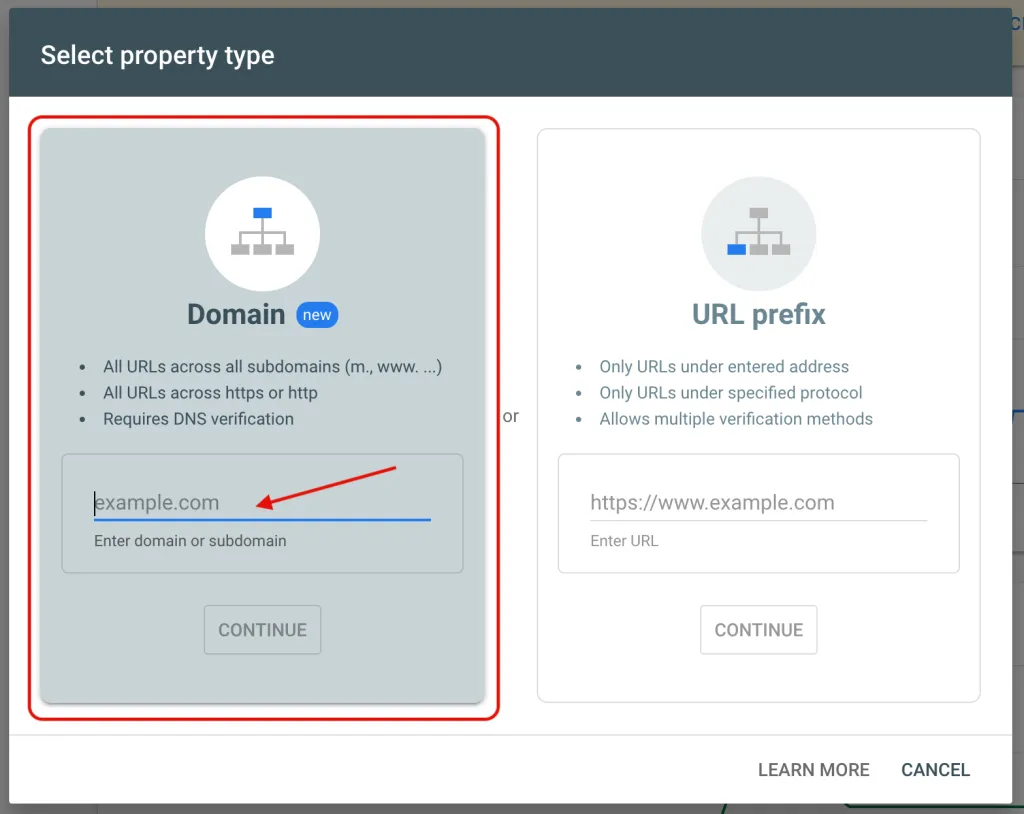
Step 1 — Choose the Domain verification method
In Google Search Console, choose the Domain property type rather than URL prefix. Domain verification covers every subdomain and both http and https, and it’s verified through DNS rather than a file or meta tag.
Step 2 — Copy the TXT record Google gives you
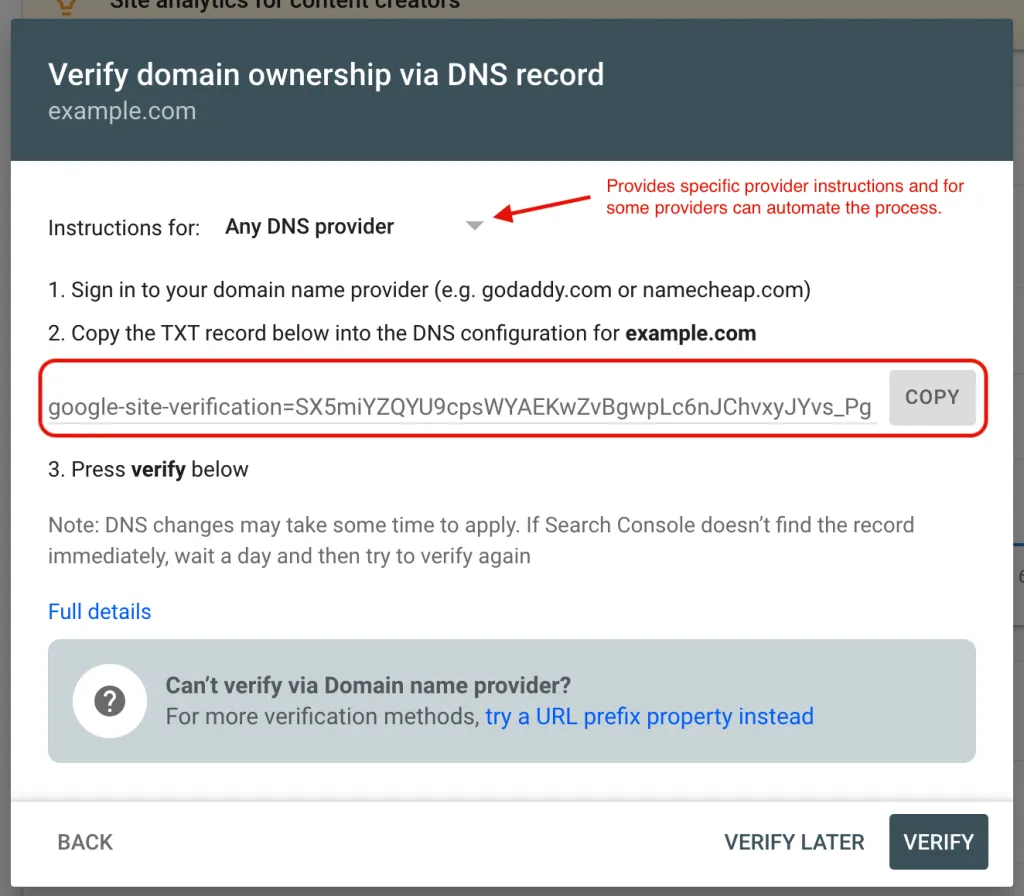
Google will display a TXT record to add to your domain’s DNS. Copy the full value.
Step 3 — Add the record, or send it to us
If you have access to your DNS through your registrar, you can add the record yourself. Google publishes step-by-step instructions for most major registrars, and for some — GoDaddy among them — the process is automated. If your provider isn’t in Google’s dropdown, search for your registrar’s name plus “add TXT record” for its instructions.
If you’d rather we did it, paste the record into a support ticket and we’ll add it and confirm verification.