Google Analytics: Ecropolis Account Access
The first step is to create a Google Analytics account. Sign up at analytics.google.com. Like all other Google products, you will need to either already have a Google account (Gmail or other) or create one.
To let Ecropolis into your account so we can configure your website to connect with Google Analytics, follow the steps below.
Step 1
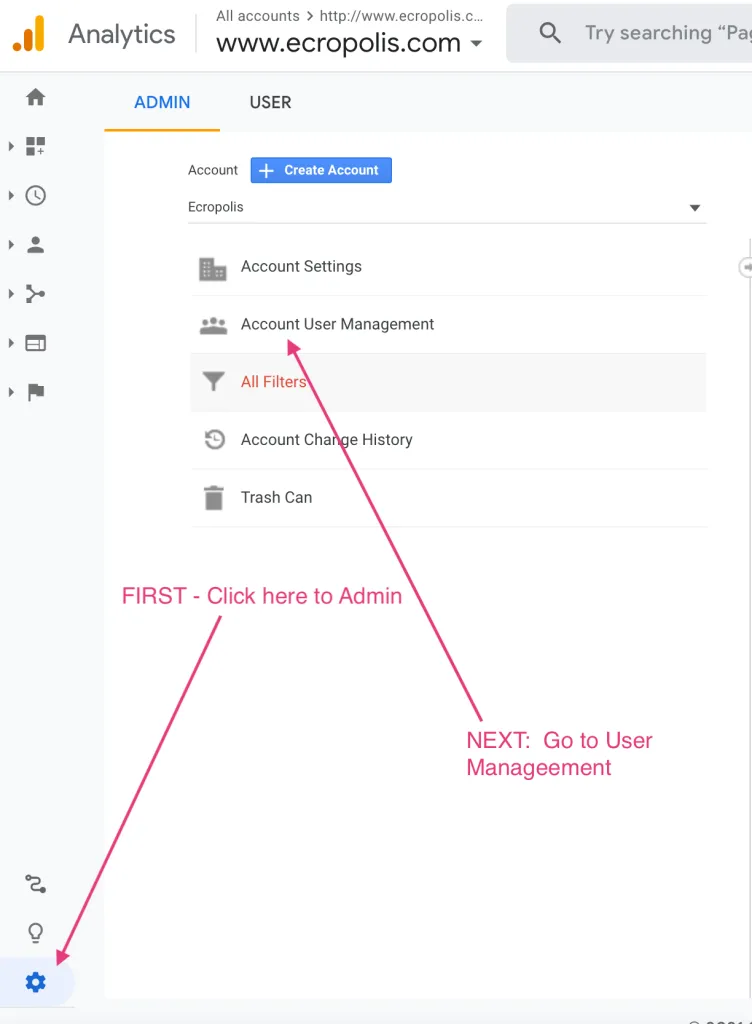
Go to the Admin area of Google Analytics. Clicking the gear-cog icon on the bottom-left side of the screen takes you there.

Once in the admin area, click Account User Management.
Step 2
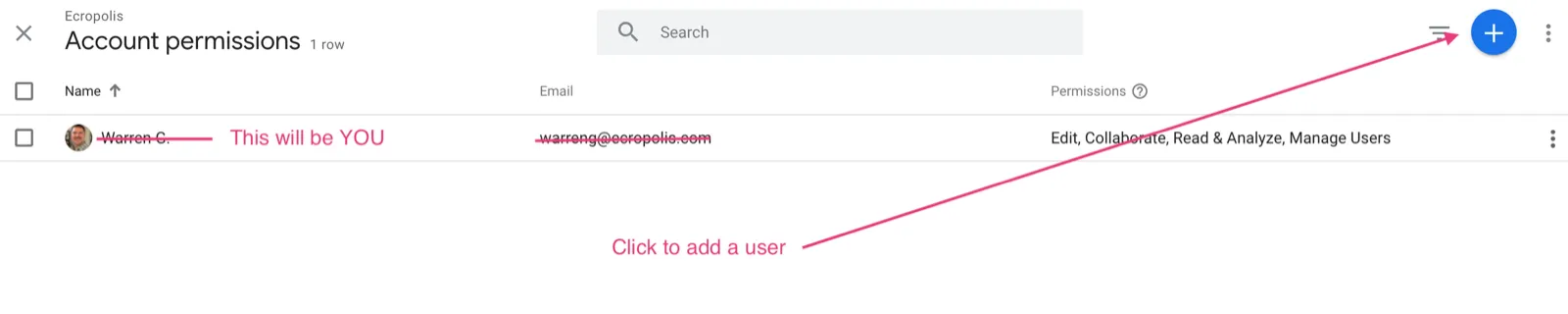
You will see the list of users with access to your account. If you just created the account, you should be the only user listed. Click the plus + icon in the top-right to add a new user.
Step 3
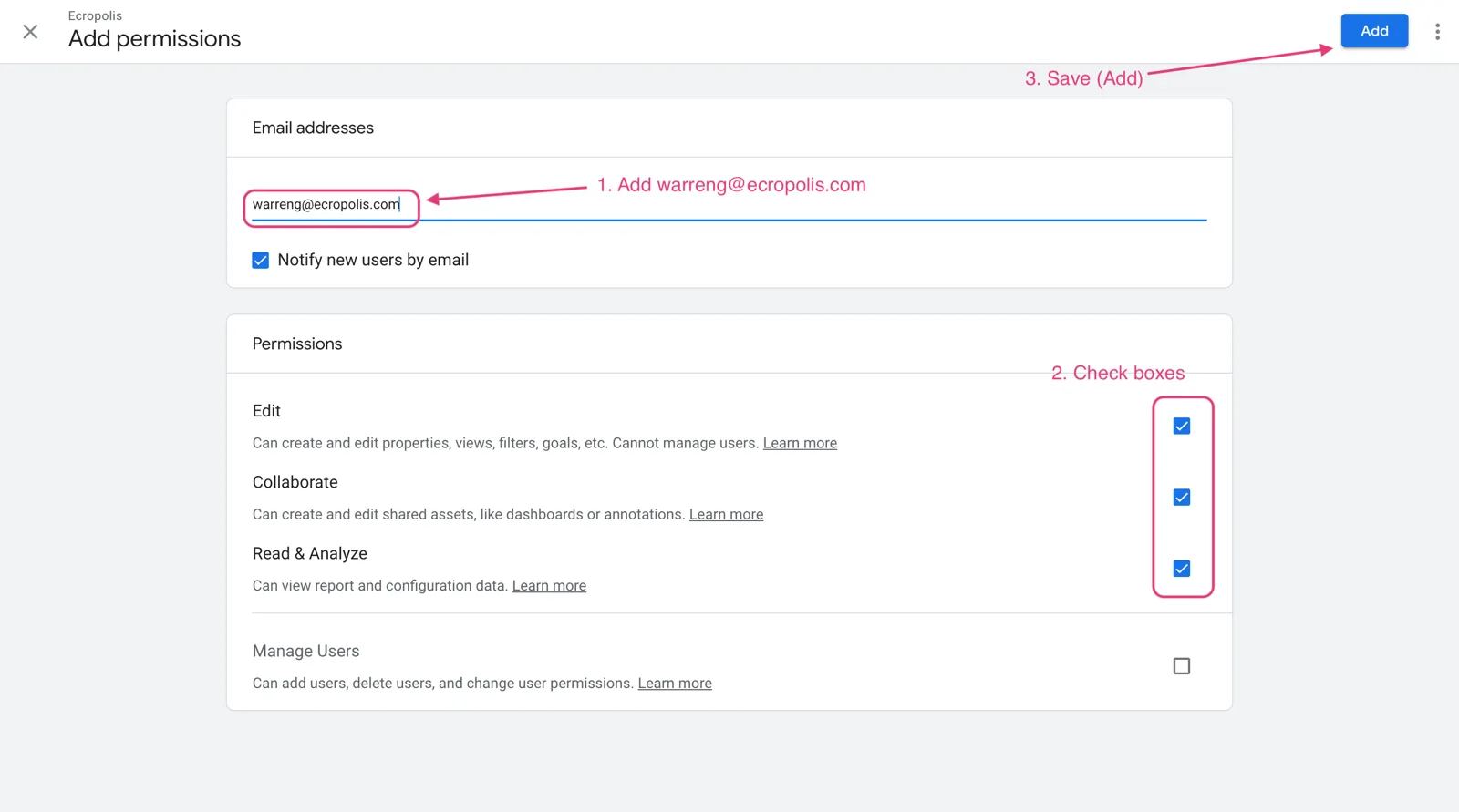
Enter the Ecropolis email address we provided you, choose the permissions you want to grant, then click the Add button in the top-right corner of the screen. If you don’t have that address handy, open a ticket and we’ll send it over.