Google Search Console: Ecropolis Account Access
Search Console tools and reports help you measure your site’s search traffic and performance, fix issues, and make your site shine in Google Search results. To sign up for Google Search Console — like all other Google products — you will need a Google account, or you can create a new one. To get started, go to search.google.com and sign up.
To let Ecropolis into your account so we can configure your website to connect with Google Search Console, follow the steps below. If your website is WordPress-based, our main objective will be to configure WordPress to generate a sitemap and to let Google know it should check for sitemap updates on a regular basis.
Step 1
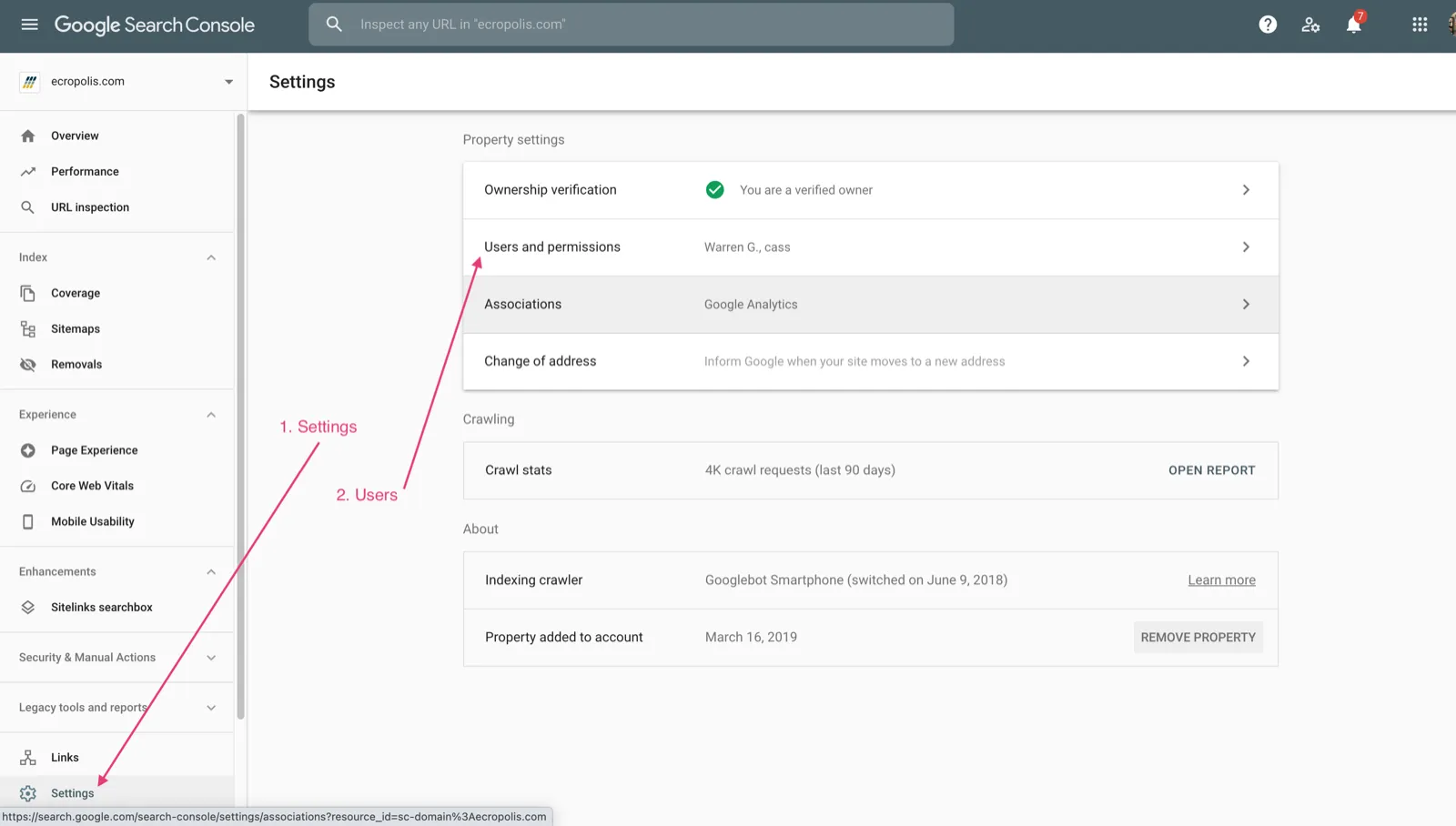
Go to the Admin area of Google Search Console. Clicking the Settings link on the bottom-left side of the screen opens the admin screen. Once there, click Users and permissions.
Step 2
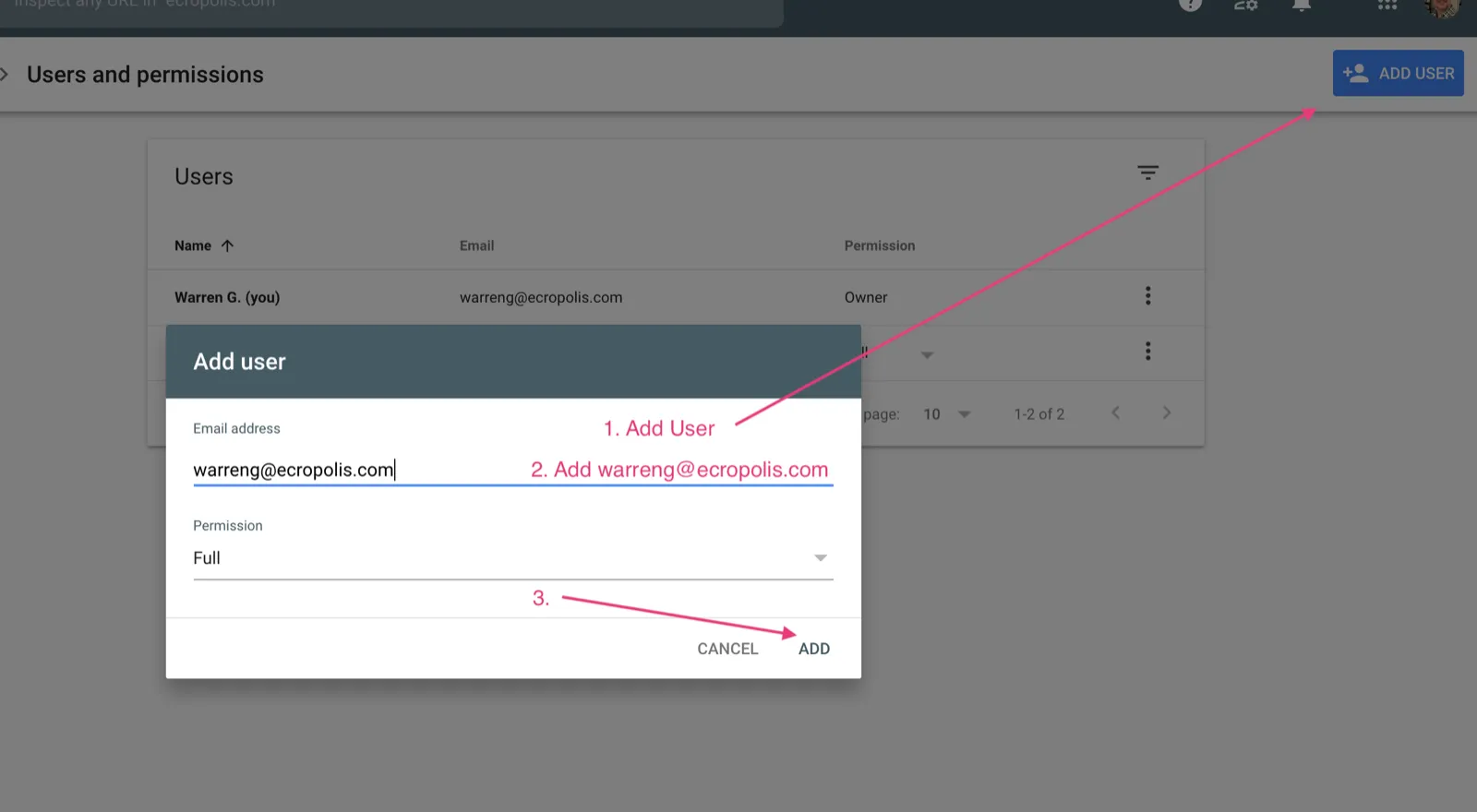
You will see the list of users with access to your account. If you just created the account, you should be the only user listed. Click the ADD USER button in the top-right. A dialog will open where you can enter the Ecropolis email address we provided you. If you don’t have that address handy, open a ticket and we’ll send it over.