
What Good Website Support Actually Looks Like
A website is not finished the day it launches.
Business details change. Services evolve. Staff changes. Photos get old. Forms need updates. Campaigns come and go. Search performance needs attention. Something eventually breaks or behaves strangely.
That is why website support matters.
But “support” can mean very different things depending on who is offering it.
Good website support is not just being available when something is on fire. It is having a clear, practical system for keeping the website useful over time.
Support Should Be Easy to Request
If getting help requires digging through old emails, texting a developer directly, or explaining the same issue three times, the support process is already working against you.
A good support process should make it easy to submit:
- Text updates
- Image changes
- Broken link reports
- Form issues
- New landing page requests
- Blog posts
- Store updates
- Bug reports
- Analytics questions
- Design or layout requests
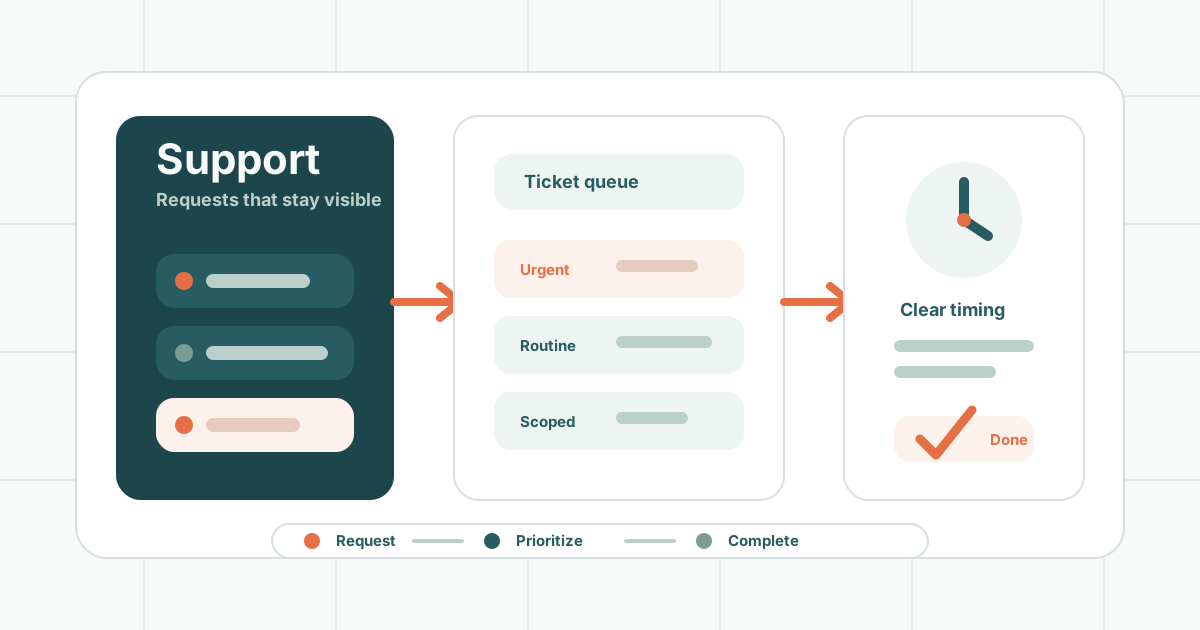
For most small businesses, a simple ticket or request form is enough.
The important thing is that the request lands somewhere trackable.
Tickets Are Helpful, Not Bureaucratic
Some people hear “ticketing system” and imagine a frustrating corporate help desk.
It does not have to be that way.
A good ticket gives everyone a shared place to track:
- What was requested
- Who asked for it
- What files or links are involved
- What priority it has
- Whether anyone has questions
- When it was completed
Tickets reduce confusion. They keep work from getting lost. They also make it easier to see patterns over time.
If you request the same kind of update every month, that might become a better template, workflow, or automation later.
Not Every Request Has the Same Priority
Good support requires prioritization.
An urgent issue is different from a routine content change.
Examples of urgent issues:
- The website is down
- A contact form is not sending
- A checkout is broken
- A security issue is suspected
- A campaign page is broken during an active campaign
Examples of normal requests:
- Replace a photo
- Update staff bios
- Add a new testimonial
- Edit service copy
- Add a blog post
- Adjust a button label
Both matter. They just should not be handled the same way.
A good support partner should be clear about what counts as urgent, what counts as routine, and how each type of request is handled.
Response Time and Completion Time Are Different
This is a common source of frustration.
Response time means how quickly someone acknowledges the request.
Completion time means how quickly the work is done.
A support plan might reasonably say:
- We respond within one business day.
- Simple updates are usually completed within a few business days.
- Larger requests are scoped separately.
- Urgent issues are prioritized.
That is much clearer than a vague promise to be “fast.”
Good support sets expectations before anyone is stressed.
Minor Updates Should Be Clearly Defined
Many support plans include minor updates.
That can be very useful, but “minor” needs definition.
Minor updates often include:
- Text edits
- Image swaps
- Button link changes
- Hours or contact updates
- Small layout adjustments
- Replacing a document
- Adding a short announcement
Larger work may include:
- New page designs
- New landing pages
- New forms
- Custom development
- E-commerce setup
- Integrations
- Major redesigns
- Strategy and copywriting
There is nothing wrong with pricing larger requests separately. In fact, that is usually healthier for everyone.
The problem is when the line is unclear.
Be Careful with “Unlimited Support”
“Unlimited” sounds great, but it almost always has limits.
Ask what unlimited support includes.
Does it include unlimited:
- Text changes?
- Image changes?
- New pages?
- Design revisions?
- Forms?
- Blog posts?
- Store products?
- Development work?
- Emergency support?
- Same-day turnaround?
Most unlimited plans really mean unlimited minor requests, handled one or a few at a time, within a reasonable support process.
That can still be a good deal. It just needs to be honest.
Support works best when the boundaries are clear.
Maintenance Is Different from Content Support
Website maintenance and content support are related, but they are not the same.
Maintenance may include:
- Software updates
- Security checks
- Backups
- Performance monitoring
- Broken link checks
- Uptime monitoring
- Plugin and theme updates
- Technical cleanup
Content support may include:
- Copy edits
- Images
- Blog posts
- Landing pages
- Team updates
- Events
- Service descriptions
For a WordPress site, maintenance is especially important because the site depends on software that changes over time.
For a static site, maintenance may be lighter, but content support, forms, analytics, and hosting still need attention. (Static websites vs. WordPress covers why the maintenance load differs.)
Good Support Includes Advice
The best support is not only task completion.
It includes guidance.
A good web partner might say:
- This page is getting long; let us split it.
- This image is too large and slowing the site down.
- This plugin is creating more risk than value.
- This request should be a landing page, not a popup.
- This campaign needs tracking before launch.
- This change may hurt SEO unless we redirect the old URL.
Small businesses do not just need someone to click buttons. They need someone who can notice the consequences of a change.
Reporting Helps You See Value
Support can feel invisible when everything is working.
That is why reporting helps.
A simple support report might include:
- Requests completed
- Open requests
- Security or maintenance updates
- Website performance notes
- Analytics highlights
- Recommendations
- Upcoming priorities
This does not need to be a giant monthly deck.
Even a short summary can help business owners understand what is being handled and what should happen next.
Support Should Help the Website Improve
Good support is not just keeping the website frozen in place.
Over time, support should help the site become more useful.
That might mean:
- Improving SEO pages
- Adding targeted landing pages
- Updating outdated content
- Making forms easier to use
- Improving page speed
- Clarifying services
- Adding analytics events
- Supporting seasonal campaigns
A website should evolve with the business.
What to Ask Before Choosing a Support Plan
Before signing up for website support, ask:
- How do I submit requests?
- What counts as a minor update?
- What is not included?
- How quickly do you respond?
- How quickly are requests usually completed?
- How are urgent issues handled?
- Do you maintain the software and hosting?
- Are backups included?
- Do you provide reporting?
- How are larger requests priced?
- Can I see what is currently in progress?
- What happens if I cancel?
Clear answers are a good sign.
The Bottom Line
Good website support should make your business feel less stuck.
You should know how to request help, what is included, what costs extra, how urgent issues are handled, and what is being done to keep the website healthy.
Support should be responsive, organized, practical, and honest about limits.
The best support does not make you dependent on chaos.
It gives your business a calmer way to keep improving.