
A Practical Guide to Website Security for Small Businesses
Website security can sound intimidating, especially for small business owners who do not want to become technical experts just to keep a website online.
The good news is that most website security is not mysterious.
It is a set of practical habits, platform choices, and support decisions that reduce risk.
No website is risk-free. But a small business can avoid many common problems by understanding the basics.
Start with Your Domain
Your domain name is one of your most important business assets.
If someone gains control of your domain, they can point your website somewhere else, interrupt your email, or create a very messy recovery problem.
Basic domain safety:
- Register the domain in your business name.
- Use a reputable domain registrar.
- Turn on two-factor authentication for the registrar account.
- Keep the account email current.
- Store login access somewhere safe.
- Know when the domain renews.
- Do not let a former employee, contractor, or old agency be the only person with access.
A domain is not just a web address. It is part of your business identity.
Understand DNS
DNS is the system that tells the internet where your website, email, and other services live.
You do not need to manage DNS every day, but you should know where it is controlled.
Common DNS records include:
Arecords for website hostingCNAMErecords for aliases and connected servicesMXrecords for emailTXTrecords for verification, email security, and platform setup
DNS mistakes can break a website or email even when the website itself is fine.
Make sure your web partner knows where DNS is managed and changes it carefully.
Use Strong Passwords and Two-Factor Authentication
Many website security problems begin with weak or reused passwords.
Use strong, unique passwords for:
- Domain registrar
- Website admin
- Hosting account
- Email account
- Analytics account
- Shopify, WordPress, or CMS login
- Payment tools
- Form and CRM tools
Turn on two-factor authentication anywhere important.
If a tool supports role-based access, give people only the access they need.
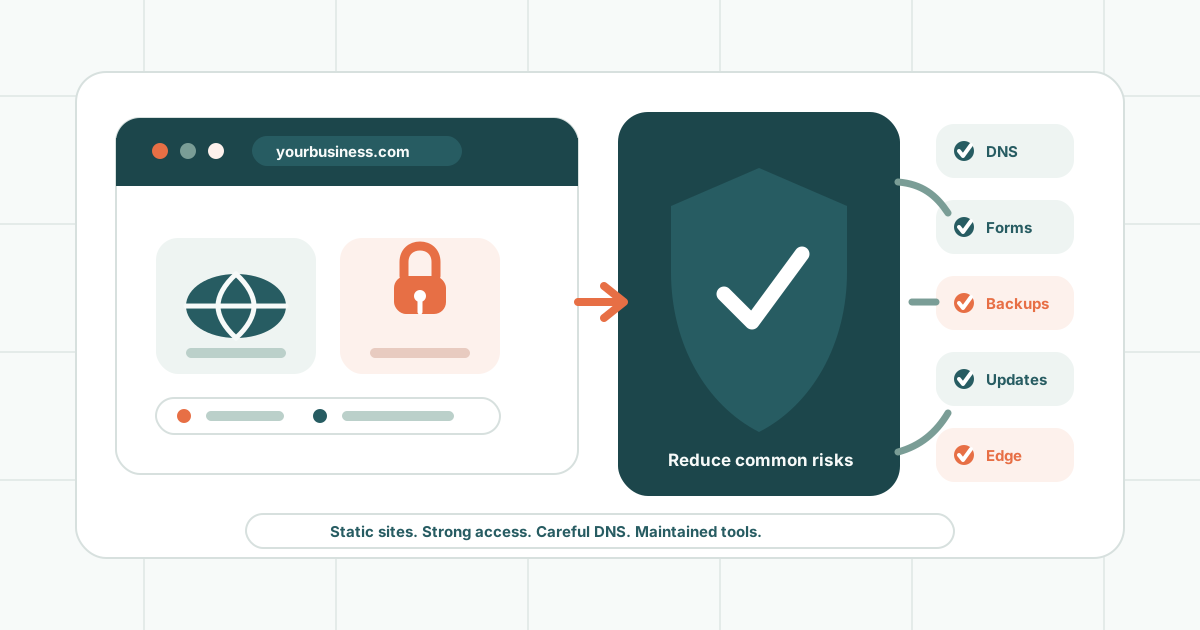
Static Websites Reduce Common Risks
Static websites can be a strong option for small businesses because they have fewer moving parts.
A modern static site is built into finished files and served through a hosting platform or edge network. There is usually no public admin dashboard, live database, or plugin system running on every request. (For a fuller comparison, see static websites vs. WordPress.)
That reduces many common risks:
- No plugin updates to forget
- No WordPress admin login to attack
- No database exposed to the public website
- Fewer server-side vulnerabilities
- Simpler hosting and deployment
This does not mean static sites are magically secure. Domains, DNS, forms, analytics, deployment access, and third-party scripts still matter.
But for many small businesses, a static website removes a lot of maintenance burden.
WordPress Needs Ongoing Care
WordPress is powerful and widely used. It can be a great choice when a business needs frequent content editing, complex publishing, events, memberships, directories, or plugin-driven features.
But WordPress needs responsible maintenance.
At a minimum, a WordPress site should have:
- Core updates
- Plugin updates
- Theme updates
- Regular backups
- Security monitoring
- Strong admin passwords
- Two-factor authentication
- Spam protection
- A security hardening plugin such as Wordfence or Defender
- Careful plugin selection
- Reliable hosting
The biggest WordPress risk is usually not WordPress itself. It is an old plugin, abandoned theme, weak admin account, poor hosting, or no maintenance plan.
Security plugins are not magic, but they can add useful hardening: login protection, file-change alerts, malware scans, firewall rules, audit logs, two-factor authentication, and alerts when something needs attention.
If you choose WordPress, plan for care after launch.
Be Careful with Forms
Contact forms are useful, but they can also create risk if they are poorly configured.
Forms can attract spam, collect sensitive information, or send data to the wrong place.
Good form practices:
- Ask only for the information you actually need.
- Avoid collecting sensitive personal information unless necessary.
- Use spam protection.
- Confirm where form submissions are stored.
- Confirm who receives notifications.
- Use secure form providers or properly maintained form software.
- Test forms regularly.
For most small business websites, a form should be simple, clear, and limited.
Backups Matter, but Know What They Cover
Backups are essential for dynamic websites like WordPress, where content lives in a database and files change over time.
A good backup plan should answer:
- What is backed up?
- How often?
- Where are backups stored?
- How long are they kept?
- Who can restore them?
- Has a restore ever been tested?
For static websites, the backup model may be different. The site can often be rebuilt from source files, content, and version history. That is simpler, but still requires responsible account and file management.
Backups are only useful if someone knows how to restore them.
Cloudflare Can Help
Cloudflare can provide useful protection and performance benefits for small business websites.
Depending on the setup, Cloudflare can help with:
- DNS management
- SSL certificates
- Global content delivery
- Basic firewall rules
- Bot filtering
- Rate limiting
- Redirects
- Caching
- Traffic visibility
One reason Cloudflare is especially useful for small businesses is that its free plan is unusually generous. Cloudflare’s public free plan includes foundational services such as SSL, CDN, DNS, and DDoS protection. That means even a small local business can put a serious edge network in front of its website without starting with an enterprise bill.
Why offer that much for free? Cloudflare says its mission is to help build a better internet, and that foundational security and performance should be available to websites of every size. There is also a network effect: protecting more sites gives Cloudflare broader visibility into traffic and attack patterns, which can improve protection across the network.
Cloudflare is not a substitute for good website maintenance, but it can be an excellent layer of protection and speed.
For static websites, Cloudflare Pages can also be a clean way to host and deliver the site globally.
Third-Party Scripts Are Part of Security Too
Many websites load scripts from outside services:
- Analytics
- Chat widgets
- Tracking pixels
- Review widgets
- Booking tools
- Embedded forms
- Marketing tools
These tools can be useful, but they can also slow down the site, affect privacy, or create dependency on external vendors.
Do not install every script just because a tool recommends it.
Keep a list of what is installed and why.
Realistic Risk for Small Businesses
Small businesses are not usually targeted because someone has a personal vendetta.
More often, attacks are automated.
Bots scan the internet looking for:
- Outdated plugins
- Weak passwords
- Exposed admin pages
- Misconfigured servers
- Vulnerable forms
- Old software
That means basic maintenance and good defaults matter a lot.
You are not trying to make your website impossible to attack. You are trying to avoid being an easy target.
A Practical Security Checklist
Use this as a starting point:
- Domain registered in your business name.
- Two-factor authentication enabled on domain, hosting, email, and admin accounts.
- Strong unique passwords.
- DNS managed carefully.
- SSL enabled.
- Forms protected from spam.
- Analytics and third-party scripts reviewed.
- WordPress, themes, and plugins updated if using WordPress.
- Backups configured and restorable if using a dynamic site.
- Cloudflare or another protective edge layer considered.
- Clear support plan for urgent issues.
The Bottom Line
Website security is not about fear. It is about reducing avoidable risk.
For many small businesses, a modern static website can remove common maintenance headaches. For businesses that need WordPress, a good care plan can make the platform much safer and more reliable. For everyone, domain access, passwords, DNS, forms, backups, and responsible support matter.
The safest website is not the one with the most buzzwords.
It is the one that is built for the way your business actually uses it, with the right amount of maintenance behind it.