
GA4 Is Installed. Now What?
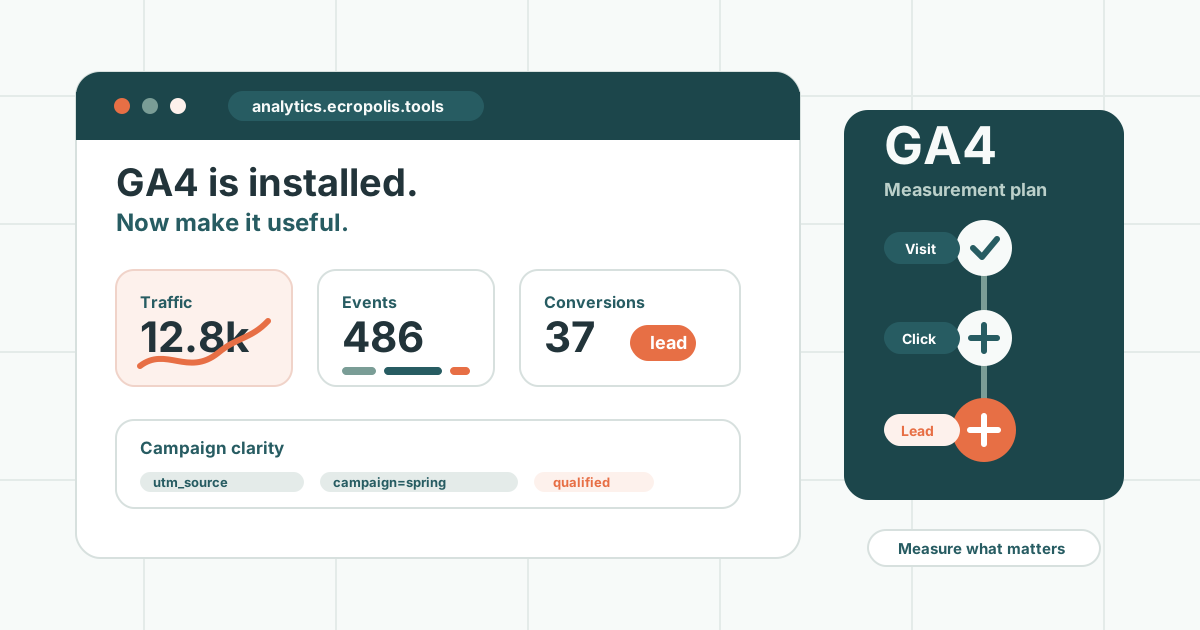
Installing Google Analytics is a good start.
But it is only a start.
Too many businesses add GA4 to their website, confirm that traffic is showing up, and then never turn it into anything useful.
The problem is not that GA4 has no value. The problem is that “analytics is installed” does not mean “we know what is working.”
To get value from analytics, you need a plan for what to measure, how to read it, and what decisions it should support.
First: Decide What the Website Is Supposed to Do
Analytics should begin with business questions, not charts.
Ask:
- What do we want visitors to do?
- Which pages matter most?
- What counts as a lead?
- What counts as a sale?
- What actions show serious interest?
- Which campaigns or channels are worth measuring?
For a small business website, important actions might include:
- Contact form submissions
- Clicks to email
- Clicks to call, if phone calls are used
- Booking button clicks
- Quote request clicks
- Downloads
- Newsletter signups
- Landing page visits
- Key service page visits
For a Shopify store, important actions may include:
- Product views
- Add to cart
- Checkout started
- Purchases
- Email/SMS signup
- Repeat purchases
- Discount usage
- Campaign landing page performance
The right measurement plan depends on the job of the website.
Understand Events
GA4 is built around events.
An event is something a visitor does.
Some events are automatic, such as page views. Others need to be configured, such as a button click, form submission, outbound link click, or file download.
Useful events might include:
contact_form_submitcta_clickemail_clickbooking_clickdownload_clicknewsletter_signupshopify_add_to_cartcheckout_started
The names matter less than the consistency.
If every important button is tracked differently, reporting becomes messy. A simple naming pattern makes analytics easier to understand later.
Mark the Most Important Events as Conversions
Not every event is equally important.
Someone viewing a page is useful information. Someone submitting a form is a stronger signal.
In GA4, the most important events can be marked as conversions.
Common conversions include:
- Contact form submissions
- Booking requests
- Purchases
- Quote requests
- Newsletter signups
- Account registrations
- Demo requests
Conversions help answer a basic question:
Is the website helping people take the next step?
Without conversion tracking, you may know how many people visited. You may not know whether the visits mattered.
Connect Google Tag Manager
Google Tag Manager, often called GTM, gives you a cleaner way to manage tracking without editing website code every time.
GTM can help track:
- Button clicks
- Outbound links
- Email links
- Form submissions
- Scroll depth
- Video engagement
- Download links
- Campaign-specific events
It also keeps marketing scripts more organized.
That matters because websites often collect tags over time: analytics, ad pixels, heatmaps, chat widgets, email tools, and more.
Without structure, tracking can become cluttered and slow.
Check Whether the Data Is Clean
Before making decisions, make sure the data is not obviously wrong.
Look for:
- Your own team traffic inflating numbers
- Spam or bot traffic
- Missing events
- Duplicate events
- Broken conversion tracking
- Forms that redirect without tracking
- Ad campaigns with poor UTM tagging
- Cross-domain issues
- Shopify checkout or payment paths that distort referral data
Bad data does not have to be perfect to be useful, but it does need to be honest enough for the decision at hand.
If a report looks strange, investigate before trusting it.
Use UTM Tags for Campaigns
UTM tags help analytics understand where campaign traffic came from.
They are especially useful for:
- Email campaigns
- Social media posts
- Paid ads
- Partner links
- QR codes
- Event promotions
- Newsletter links
A simple UTM-tagged URL can tell you that a visitor came from a specific campaign, channel, or piece of content.
For example:
?utm_source=newsletter&utm_medium=email&utm_campaign=spring_launchWithout UTM tags, campaign reporting can become guesswork.
Build a Small Dashboard
Most businesses do not need a giant analytics dashboard.
They need a small one that answers real questions.
A useful dashboard might show:
- Website sessions
- Top landing pages
- Top traffic sources
- Conversion count
- Conversion rate
- Best-performing service pages
- Form submissions
- Email clicks
- Campaign performance
- Shopify revenue, if applicable
The goal is not to stare at numbers every day.
The goal is to make the next decision easier.
Review Analytics on a Rhythm
Analytics becomes useful when it is reviewed regularly.
For a small business, monthly may be enough.
A simple monthly review can ask:
- Which pages brought in the most visitors?
- Which pages helped generate leads?
- Which traffic sources performed best?
- Did any campaigns work?
- Did anything unusual happen?
- Are people finding the pages we care about?
- What should we improve next month?
The rhythm matters more than the complexity.
If no one reviews the data, the best tracking setup in the world will not help.
Connect Analytics to SEO
GA4 is only part of the picture.
For SEO, Google Search Console is just as important.
GA4 tells you what visitors did after they arrived.
Search Console tells you how people found you in Google search.
Together, they can answer:
- Which search terms are showing your site?
- Which pages are getting impressions?
- Which pages are getting clicks?
- Which pages have traffic but poor conversion?
- Which pages rank but need better content?
- Which pages should be expanded or improved?
This is where analytics starts to become a content strategy tool.
Connect Analytics to Shopify
For Shopify stores, GA4 can help, but it should not be the only reporting source.
Shopify has its own order, customer, and product data.
The most useful commerce reporting often combines:
- Shopify sales data
- Customer segments
- Product performance
- Email/SMS campaign data
- GA4 traffic and conversion data
- Discount and promotion performance
- Repeat purchase behavior
This is why custom reporting can be valuable. The question is often not “How many visitors did we have?”
It is:
Which customers, products, campaigns, and pages are actually driving revenue?
Watch for Over-Tracking
Not everything needs to be tracked.
If every tiny interaction becomes an event, reports get noisy.
Track actions that help answer business questions.
Good tracking should clarify, not overwhelm.
If no one will make a decision from a metric, it may not need to be in the dashboard.
Common Mistakes
The most common GA4 mistakes include:
- Installing GA4 and stopping there
- Not tracking forms or buttons
- Tracking too many events with no plan
- Not marking conversions
- Ignoring Search Console
- Forgetting UTM tags
- Letting old tags pile up
- Trusting reports without checking data quality
- Never reviewing the data on a schedule
- Reporting numbers without recommending actions
Analytics should lead somewhere.
A Simple GA4 Starter Checklist
Use this as a practical starting point:
- Confirm GA4 is installed on every important page.
- Confirm Google Tag Manager is set up if you need flexible tracking.
- Track key CTAs, forms, email clicks, and booking or quote actions.
- Mark the most important events as conversions.
- Connect Google Search Console.
- Use UTM tags for campaigns.
- Check that your own traffic is not distorting reports.
- Build a simple dashboard.
- Review results monthly.
- Turn the review into one or two improvement actions.
The Bottom Line
GA4 is not valuable because it is installed.
It is valuable when it helps your business make better decisions.
The goal is not more charts. The goal is clarity:
- Where are visitors coming from?
- What are they doing?
- Which pages are helping?
- Which campaigns are working?
- Where are people dropping off?
- What should we improve next?
Start with those questions, track the actions that matter, and review the results on a rhythm.
That is when analytics stops being a script in the header and starts becoming a tool for growth.