
1,941 Vulnerabilities. One Fix.
Why vulnerability counts can be misleading.
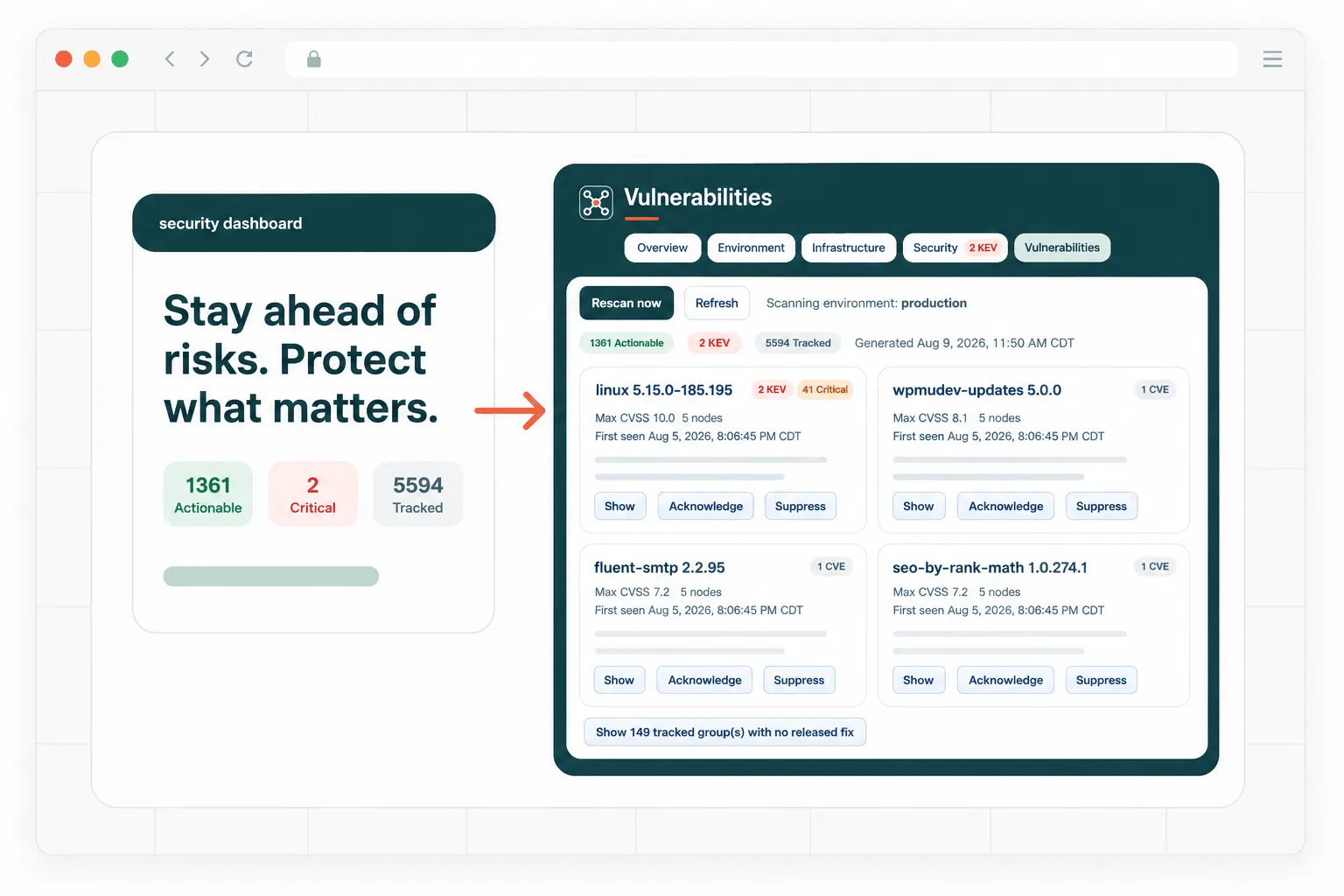
Finding vulnerabilities isn’t the hard part anymore. Figuring out which ones actually matter — and what to do about them — is.
Every day, new software vulnerabilities are disclosed.
Operating systems. Web servers. Programming languages. Containers. WordPress plugins. Libraries. Applications.
For organizations managing multiple servers, the volume of vulnerability intelligence can quickly become overwhelming.
The obvious response is to scan everything.
But that creates another problem.
What do you do with the results?
A security scanner can hand an operations team hundreds or thousands of vulnerability findings. That doesn’t necessarily mean there are hundreds or thousands of things to fix.
We recently added fleet-wide security monitoring to Ecropolis ControlPlane to approach the problem differently.
On its first scan of our production fleet, the system identified:
1,941 applicable vulnerability findings.
That sounds alarming.
After correlating those vulnerabilities with the software actually installed, the versions running on each server, available security fixes and the relationship between individual vulnerabilities and their remediations, those 1,941 findings collapsed into:
One actionable row.
Update the operating system packages and reboot the affected servers.
That distinction — between counting vulnerabilities and understanding remediation — is at the center of how we’re approaching security operations.
Start with what you actually run
Vulnerability intelligence isn’t particularly useful without an accurate inventory.
Before asking whether we’re vulnerable, ControlPlane first needs to understand what exists.
Our fleet inventory reaches from the operating system through the application layer.
A typical scan inventories roughly 2,000 components across the fleet, including:
- Operating system packages
- Running kernels
- Web servers
- PHP runtimes
- Redis
- Docker
- WordPress core
- WordPress plugins
- WordPress themes
Versions matter.
Server A and Server B might both run PHP, for example, but they may not run the same release.
One WordPress site might have version 4.2 of a plugin while another runs 4.3.
One server might have received an operating-system security update while another hasn’t.
Security monitoring has to understand the actual state of each host rather than simply checking whether a technology appears somewhere in the environment.
Then comes the intelligence
There isn’t one universal vulnerability database that perfectly understands every piece of a modern web stack.
Different intelligence sources are good at different things.
So ControlPlane currently correlates inventory against five sources.
OSV
OSV provides vulnerability information particularly useful for open-source packages and Linux distribution ecosystems.
National Vulnerability Database
The NVD provides standardized vulnerability information and CVSS severity scoring.
CVSS helps answer:
How severe could this vulnerability be?
That’s important, but it isn’t the whole story.
CISA Known Exploited Vulnerabilities
The Cybersecurity and Infrastructure Security Agency maintains the Known Exploited Vulnerabilities catalog.
This answers a much more urgent question:
Is someone actually exploiting this vulnerability in the real world?
That distinction matters enormously.
FIRST EPSS
The Exploit Prediction Scoring System estimates the probability that a published vulnerability will be exploited.
That gives us another useful signal beyond theoretical severity.
Wordfence Intelligence
WordPress creates its own security challenge because an enormous ecosystem of independently developed plugins and themes sits on top of the core platform.
Wordfence provides vulnerability intelligence specifically relevant to that ecosystem.
On our production fleet, for example, the WordPress intelligence source contained more than 38,000 published vulnerability records.
Only 117 were relevant to plugins actually installed in our environment.
That’s the kind of reduction that matters.
The objective isn’t to collect the largest possible database of scary vulnerabilities.
It’s to identify the ones that intersect with reality.
A 9.8 isn’t always your biggest problem
Security teams understandably pay attention to severity scores.
A CVSS 9.8 gets attention.
But consider two vulnerabilities.
One has a CVSS score of 9.8.
It is theoretically severe, but there is little evidence of exploitation and perhaps significant complexity involved in attacking it in your environment.
Another has a lower severity score.
But attackers are actively exploiting it today.
Which should your operations team address first?
Usually the second one.
That’s why our security board doesn’t rank vulnerabilities purely by CVSS.
We prioritize multiple signals.
Known exploitation comes first.
Then severity.
Then exploitation probability.
On our initial production scan, three findings appeared in CISA’s Known Exploited Vulnerabilities catalog.
Those immediately moved to the top.
Security prioritization should reflect what’s happening in the world, not merely which number is largest in a database.
Linux makes vulnerability matching surprisingly complicated
This was one of the more interesting engineering problems behind the feature.
A naive vulnerability scanner can produce an enormous number of false positives on Linux systems.
The reason is backporting.
Linux distributions such as Ubuntu frequently patch security vulnerabilities without replacing a package with the newest upstream version.
Instead, security fixes are backported into the distribution’s existing package.
Imagine an upstream project fixes a vulnerability in version 3.5.
Your Ubuntu server appears to be running 3.4.
A simplistic scanner compares:
3.4 < 3.5
and concludes:
VULNERABLE
But Ubuntu may have already incorporated that specific security patch into its packaged version of 3.4.
The server is patched.
The scanner just doesn’t understand how the operating system manages software.
That’s dangerous in a different way.
False positives create noise.
Noise creates fatigue.
And eventually operators start ignoring security alerts because they’re accustomed to them being wrong.
So our scanner evaluates distribution packages against distribution-aware advisory information and implements the same package-version comparison semantics the underlying package manager uses.
The goal isn’t to report more vulnerabilities.
The goal is to be right more often.
A confident wrong answer is worse than admitting you don’t know
That principle extends throughout the system.
If we inventory a component but don’t have an appropriate vulnerability intelligence source for it, we don’t mark it:
SAFE
We mark it:
UNMONITORED
Those are very different statements.
Likewise, if the scanner encounters a version it cannot reliably parse, it doesn’t make its best guess and produce a reassuring green checkmark.
It reports the gap.
Security software has a natural temptation to make dashboards look reassuring.
Lots of green.
A few yellow warnings.
Maybe one red badge.
But an honest security system needs another state:
We don’t know.
Knowing where your visibility ends is itself valuable security information.
The vulnerability isn’t the unit of work
This may be the most important design decision we made.
Traditional vulnerability management tends to revolve around CVEs.
CVE-XXXX-1234.
CVE-XXXX-5678.
CVE-XXXX-9012.
That’s useful for security researchers and auditors.
It’s often not how an operator fixes the problem.
Suppose 137 vulnerability findings all trace back to the same operating-system package.
The operator doesn’t perform 137 remediations.
They perform one:
Update this package to this version on these servers.
So that’s what ControlPlane shows.
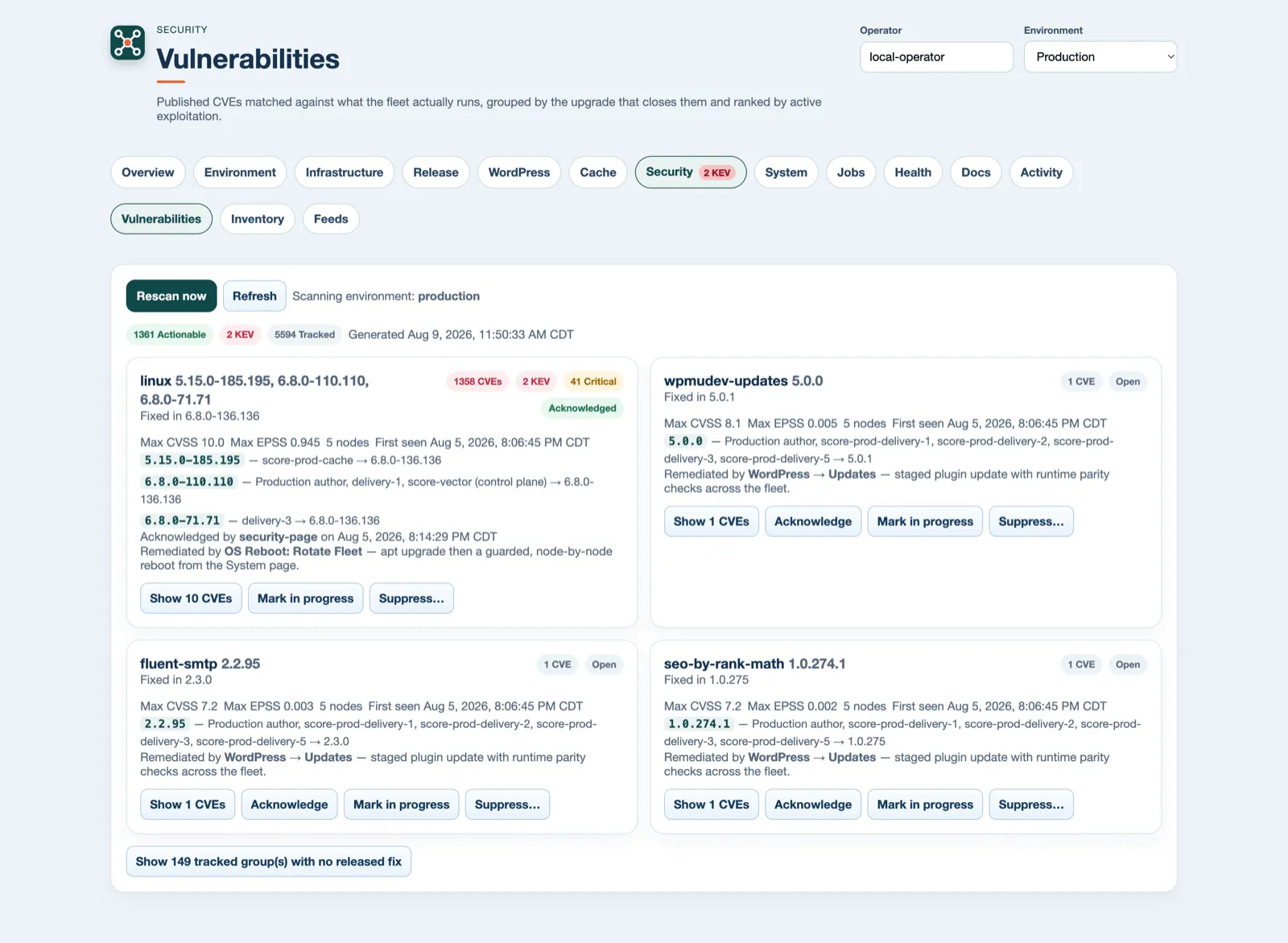
The primary unit is the remediation, not the vulnerability.
A remediation tells the operator:
What needs to change?
What version fixes it?
Which servers are affected?
How urgent is it?
What vulnerabilities will this action resolve?
The underlying CVEs are still there.
Auditors and engineers can expand the remediation and inspect every individual finding.
But the primary security board is designed around doing the work.
That’s how 1,941 vulnerability findings can legitimately become one actionable row.
Security shouldn’t create a back door around operations
Finding a vulnerability is one problem.
Deploying the fix safely is another.
A security dashboard can become dangerous if it creates a giant red:
PATCH EVERYTHING NOW
button that bypasses normal operational controls.
Our security monitoring doesn’t get a special path to production.
Remediation connects to the same update and reboot systems already used by ControlPlane.
That means the same operational safeguards remain in place.
Drain traffic where appropriate.
Perform the update.
Verify the system.
Confirm service health.
Rollback or stop when verification fails.
Security urgency shouldn’t eliminate operational discipline.
In many environments, an uncontrolled emergency patch can create an outage just as effectively as an attacker can.
Suppression needs accountability
Not every finding will be fixed immediately.
There may be mitigating controls.
A component might not be exposed.
An update may conflict with another operational requirement.
The risk may be accepted temporarily.
That’s reality.
So findings can be:
Acknowledged
In Progress
or
Suppressed
But suppression requires a written reason.
And that decision remains in the audit history.
Nothing simply disappears.
If someone decides that a vulnerability doesn’t require remediation, the system should be able to answer:
Who made that decision, when, and why?
That’s useful operationally.
It’s also the kind of information that becomes increasingly important during security reviews, insurance assessments and compliance conversations.
The scanner needs monitoring too
There’s another easy trap in vulnerability management.
Your security dashboard says:
Everything looks good.
But the vulnerability feed stopped updating three weeks ago.
That’s not good.
That’s a monitoring failure pretending to be a security result.
So ControlPlane monitors its own intelligence sources.
A dedicated view shows each feed, its most recent successful synchronization and the number of records available.
A stale intelligence feed becomes an observable fault.
We don’t want missing information to silently turn into a green dashboard.
What our first production scan looked like
Our initial production deployment produced some interesting numbers:
| Measurement | Result |
|---|---|
| Components inventoried | ~2,000 across the fleet |
| Applicable vulnerability findings | 1,941 |
| Actionable remediations | 1 |
| CISA Known Exploited findings | 3, prioritized first |
| WordPress vulnerability intelligence | 38,411 published records |
| WordPress records relevant to installed plugins | 117 |
| Database footprint for the capability | ~7 MB |
| Fleet rescan time | ~15 seconds |
The number we’re most interested in isn’t 38,411.
Or even 1,941.
It’s:
1.
Because that’s the number an operator can act on.
This is where we think security tooling needs to go
Organizations aren’t suffering from a shortage of security information.
We have vulnerability databases.
Mailing lists.
Threat feeds.
CVEs.
CVSS scores.
Exploit probabilities.
Scanner reports.
Plugin advisories.
Operating-system advisories.
The challenge is turning all of that information into an answer to a much simpler question:
What do I need to do today?
That’s the problem we’re trying to solve with ControlPlane.
Inventory what actually exists.
Correlate it against multiple sources.
Understand the nuances of the software being monitored.
Prioritize what attackers are actually exploiting.
Be explicit about blind spots.
Group findings by the action that resolves them.
Preserve accountability.
Then put the remediation through the same safe operational process used for everything else.
The result should not be a more impressive vulnerability report.
It should be less noise and better decisions.
Because when 1,941 security findings really require one action, the most useful security system isn’t the one that gives you 1,941 red alerts.
It’s the one that tells you what to fix.